 Indicators:

|
 |

|
|
|
|
|








|
MT4 indicator (b-clock.mq4)
How to trade with b-clock indicator
MT4 indicator b-clock simply tells how much time is left till the bar end. b-clock indicator will certainly be useful to scalpers, who keep a close eye on the each bar tick. Copyright © Forex-indicators.net Comments |

 Download indicator: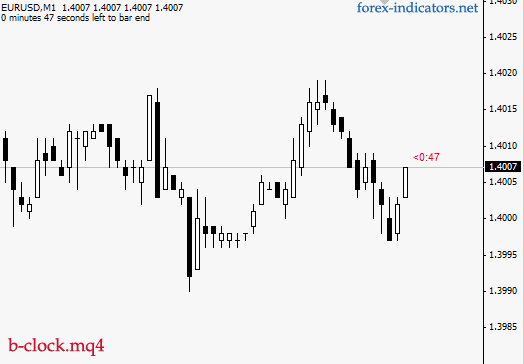
pls somebody help How do I install this b-clock m4 in metatrader
Follow these steps:
1. copy b-clock.mq4 to /Experts/Indicators folder of your installed MT4 platform.
2. Close MT4 platform. Then re-open.
3. your new indicator will appear under "Custom Indicators", which is found: in the upper platform menu Insert => Indicators => Custom => b-clock
When I hit the download button it gives me a text version of the indicator, what do I do to get that into a downloadable file?
1. Right click on the indicator link
2. Choose "Save as" or "Save link as" to download the indicator.
thanks for the info on how to load it
Haw can I modify the position in the window ?
Exactly what I was looking for. Thank you.
how can i modify it is downlode all indicators in note pat thank u
that its gives me right time to go to my school thanks
wow.. now i have another indicator to add in my trading toolbox.. ;)
thk
good
Let us never be afraid to help each other, for there is enough for all. There always has been and always will be so long as we each carry it forward. Teach a person how to fish, then they can feed themselves.Feed them fish, and when you stop they will starve. Thanks for patiently and clearly answering the above questions. Portia.
thanks
thnx
Post new comment